Repository navigation
Tiling Assistant Preferences Problems (AnduinOS v2)... #477

Replies: 3 comments

|
I fixed it by installing a different Tiling Manager: Tiling Shell https://extensions.gnome.org/extension/7065/tiling-shell/ Once installed, open "Extensions" and disable "Tiling Assistant" and make sure "Tiling Shell" is enabled. Click the three dots and select settings. Change the "Snap Assistant Threshold" from 54 (or what ever it might be) to 5. |

|
Thanks for reporting this. We reproduced the early popup with the unmodified Tiling Assistant v56 on AnduinOS 2.0.5 / GNOME 50: it appears while dragging roughly 120 pixels below the top edge, even with the vertical preview setting reduced to 5 pixels. There are two separate features here: the Vertical Edge Preview Trigger Area setting controls edge tiling, while the top Layout Picker uses its own activation area based on the menu's height. Changing the former does not adjust the latter. You can avoid the popup without replacing the extension: open Tiling Assistant preferences → General → Layout Picker and turn off Show Layout Picker. We verified that this removes the popup and that Super+Left still tiles windows normally. Upstream is tracking sensitivity controls in ubuntu/Tiling-Assistant#496, which is currently open. We could not reproduce the preferences window closing: clicking the disabled minus button at 5, and changing 5 → 10 → 15 → 10 → 5, left the window running. The grey minus button at 5 is expected because 5 is the minimum. If it still closes on your installation, the exact steps and any error message would help us investigate that separately. |
|
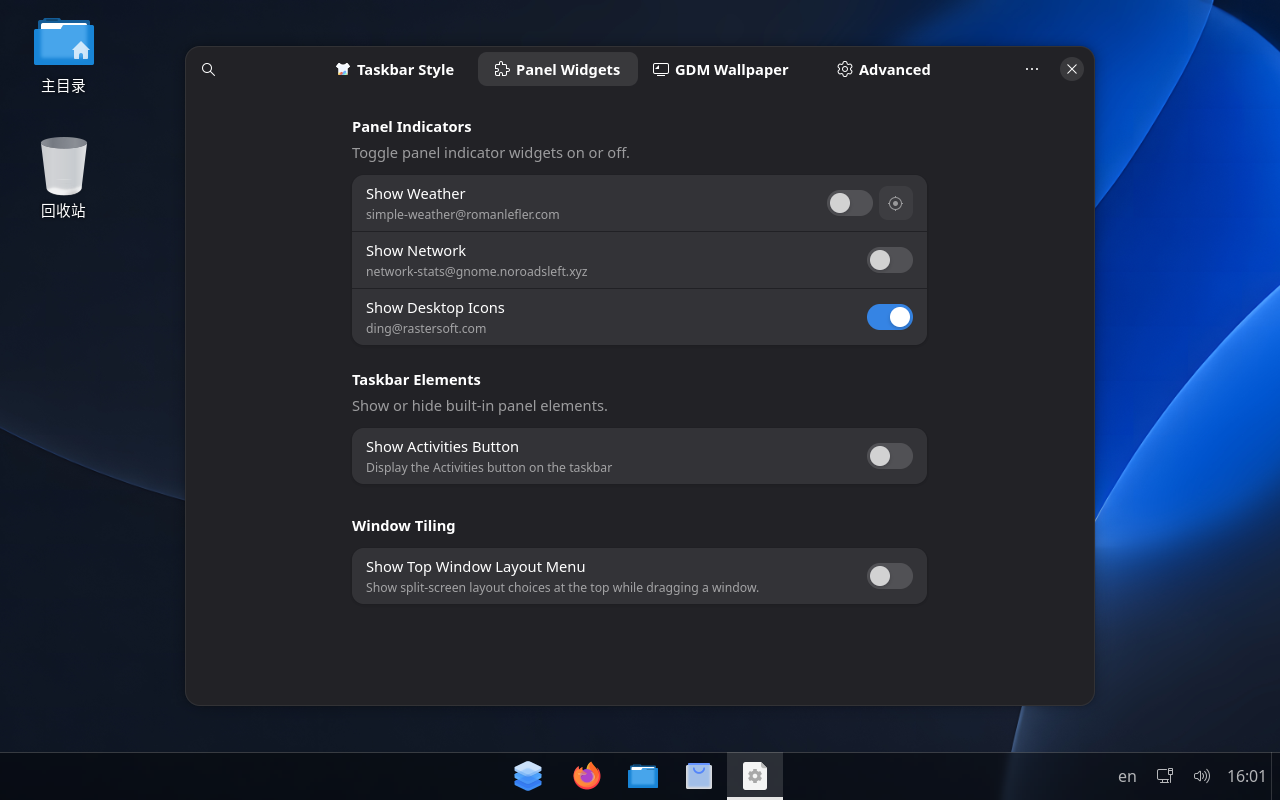
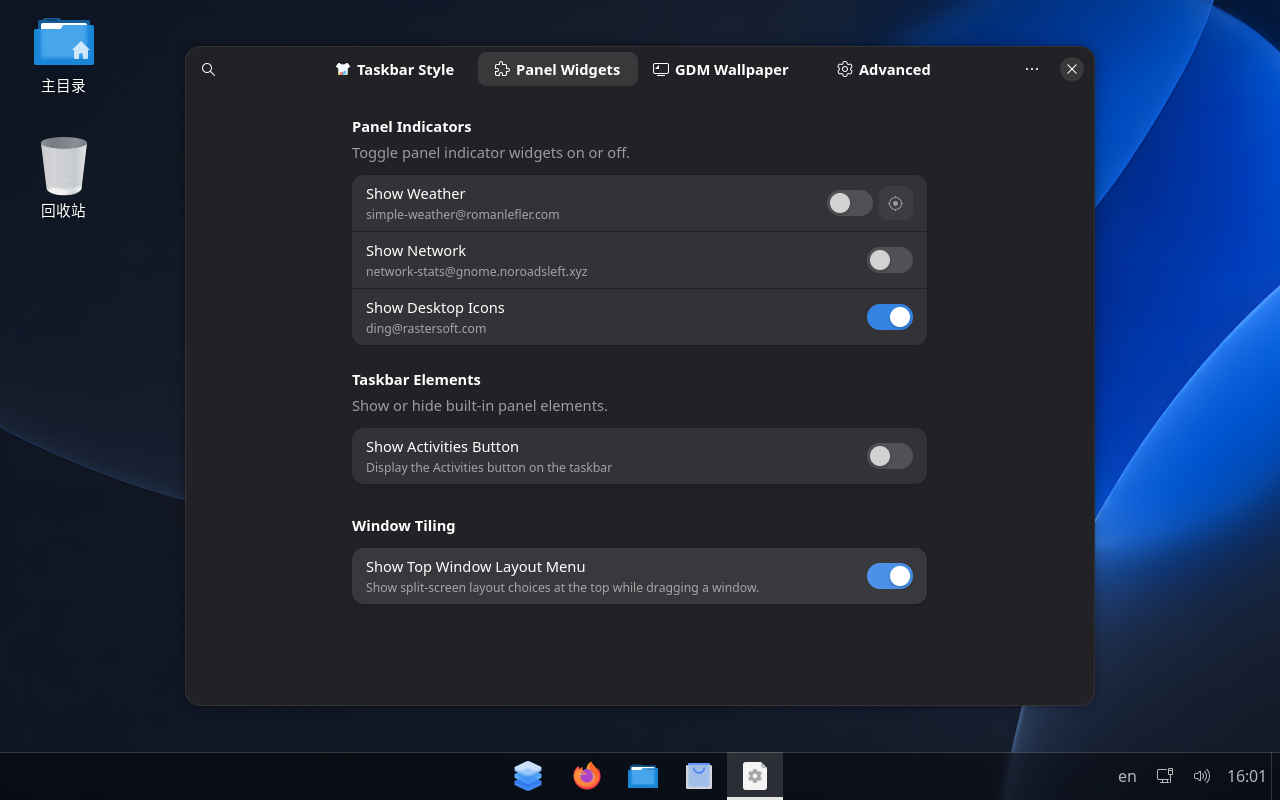
Update: following this report, we have added a Show Top Window Layout Menu switch in Appearance → Panel Widgets → Window Tiling. This will be included in AnduinOS 2.0.6 (Resolute) and 2.1.0 (Stonking).
Default off:
Opt in whenever you want:
These are screenshots from our test builds. The change is merged and planned for the two upcoming releases; this is a preview, not a release announcement. |


Uh oh!
There was an error while loading. Please reload this page.
Uh oh!
There was an error while loading. Please reload this page.
I am having problems with the tiling assistant in AnduinOS v2.
The Tiling Assistant triggers too far away from the top of the screen and interferes with moving windows. It triggers at more than 100px from the top of the screen.
There is no option listed in the preferences to set the threshold from the top of the screen.
I asked Chat GPT about it and it was able to enable the hidden ("experimental") options but they don't work - they crash the preferences menu when you try to change them.
Ghat GPT was able to change the threshold default from 15px to 5px through the command line, but I discovered that the threshold is calculated from the height of the popup window even when not visible on the screen. So instead of the Tiling assistant triggering 5px from the top of the screen, it triggers from something like 115px from the top of the screen.
It is really annoying to have it interfering every time I move a window.
Is there any way to fix this?
This is a summary of the issue:
Application: Tiling Assistant
Version: 56
Operating system: AnduinOS 2.0.4
Observation | Finding
Configured vertical preview area | 5 pixels
Actual activation distance | More than 110 pixels from the top
Suspected cause | The activation boundary may be calculated relative to the tiling menu's dimensions rather than the screen edge
Preferences issue | The minus button beside the threshold setting is dark grey and clicking it closes or crashes the settings interface
All reactions